

Chat bookkeeping
GigBooks has a single chat thread per business — the assistant — that handles two distinct jobs:
- Answer questions about your books in plain Finnish or English.
- Process attachments — read a receipt photo and turn it into a draft entry, or take a bank statement PDF and start an import.
This page is honest about both: what’s possible today, what’s still rough, and what the assistant won’t do for you.
How chat works in the app
Open the Chat tab. The thread is your only conversation — there are no separate chats or folders. Everything you’ve ever said and every draft the assistant has created is on a single timeline with timestamps.
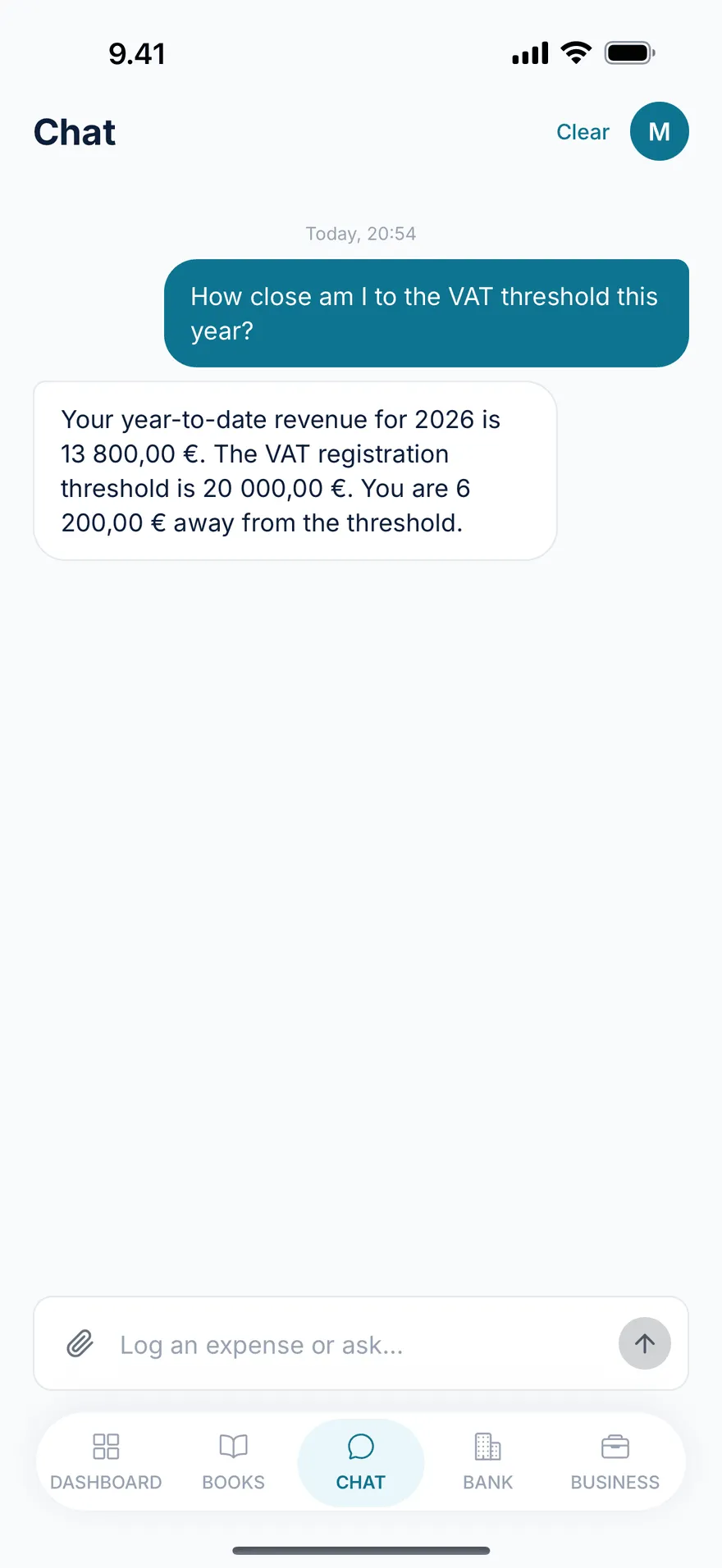
The composer at the bottom has:
- A paper-clip icon for attachments (camera, gallery, statement).
- A free-text field for typing.
- A send button.
There’s also a Clear action in the top bar for wiping the thread and starting fresh. Clearing keeps your books and attachments safe — only the conversation history is removed.
Asking questions
You can ask the assistant most things you’d ask a kirjanpitäjä about your own books. A few examples that work today:
- “How close am I to the VAT line?” → grounds the answer in your year-to-date revenue.
- “What did I make on Wolt this week?” → looks at your shifts.
- “Can I deduct the phone mount I bought on Tuesday?” → walks you through the reasoning and offers to save it as a work-equipment expense.
- “How much advance tax should I be paying?” → checks your estimate and remaining instalments.
What it does well:
- Plain answers in your language, not accountant jargon.
- Grounded in your actual ledger — not a generic LLM hallucination. When it cites a number, that number comes from your books.
- Helpful follow-through — for many answers the assistant offers to save a related entry or open the relevant screen.
What it does less well today:
- Long, multi-step audit-style questions (“Reconcile my Q1 VAT including reverse-charge purchases…”). For complex situations a kirjanpitäjä is still your best move.
- Predictions about your tax-year outcome with high precision. The estimates are realistic, but they’re estimates.
Snapping a receipt
Tap the paper-clip and pick Camera to take a photo or Gallery to choose an existing image.
The flow:
- Your photo appears in the thread as a file message.
- The assistant uploads the image and starts processing. You see “reading your receipt…”.
- Within a few seconds (usually 1–3) you get a receipt card with what was read:
- Merchant — e.g., Neste K Kamppi
- Amount — e.g., €42.80
- VAT rate — e.g., 25.5%
- Suggested category — e.g., vehicle fuel
- Tap the card to open the entry, or tap Confirm to post it as-is.
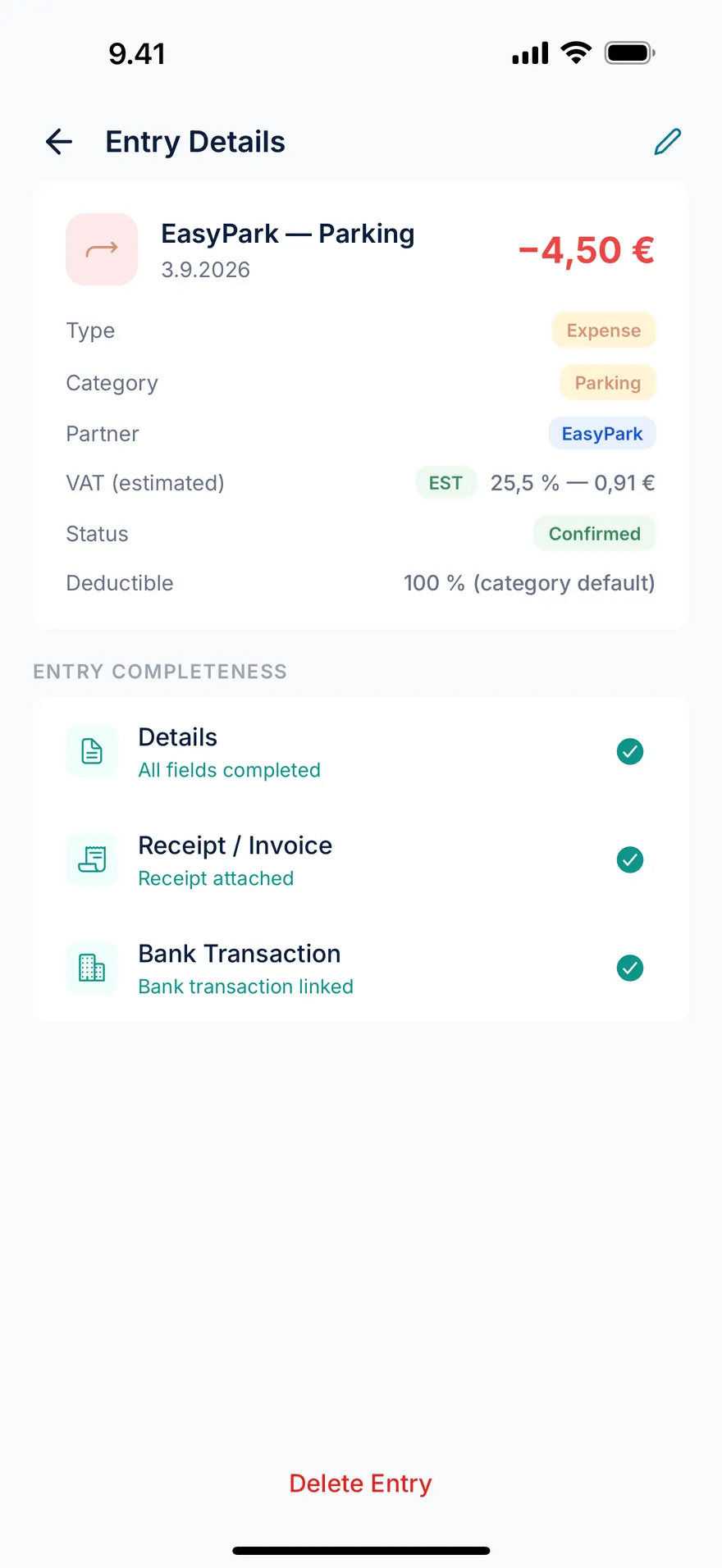
If the assistant misread something — say it picked the wrong VAT rate — open the entry and edit before confirming. Confirmed entries are immutable per the Bookkeeping Act, so it’s worth checking the OCR before you tap.
If processing fails (a blurry photo, an unsupported format), you’ll see a clear error and can re-upload.
Attaching a bank statement
The same paper-clip menu has a Statement option for uploading a PDF.
This isn’t a separate flow from Bank → Import — it triggers the same import. The chat is just a convenient entry point. After you pick the file:
- The PDF appears in the thread as a file message.
- The assistant runs the import and replies with a bank import summary card showing new, auto-matched, duplicates, and to-review counts.
- Tap Review entries on the card to open the triage queue.
See bank import for what happens next and which banks are supported.
What the assistant won’t do
We’re explicit about this so the docs match the product:
- It won’t file your VAT return or annual tax return. Those are filed in OmaVero. The assistant can tell you the figures and walk you through the OmaVero form, but it doesn’t submit anything to Vero.
- It won’t move money. It can’t pay your advance tax, transfer to YEL, or trigger an invoice payment.
- It won’t change your business setup (Y-tunnus, VAT registration, YEL provider). Those happen at YTJ, OmaVero, and your insurance provider — outside GigBooks.
- It won’t sign in to Wolt, Bolt, or Uber to read your earnings. Platform work happens in those apps; GigBooks records what you log here.
Privacy of the conversation
Your conversation is stored against your business and is visible only to you. The receipt photos and statement PDFs you attach are stored as private files in your account, accessible only via short-lived signed URLs. See the Privacy policy for the full handling.
Trial and subscription state
If your free trial has expired, the chat composer becomes read-only and a banner offers a plan choice. Your existing thread, books, and attachments are untouched — they’re waiting for you the moment you subscribe.
Next
- Bookkeeping basics — an overview of income, expenses and supporting records.
- Bank import — the bigger picture for the statement attachment.