

Welcome to GigBooks
GigBooks is a mobile-first bookkeeping app for Finnish sole traders (toiminimi) — couriers, drivers, hairstylists, tutors, consultants, anyone who runs the business in their own name and wants their books to keep up with them.
This page tells you, plainly, what GigBooks does and what it doesn’t, so you can decide if it fits your work before you sign up.
What you can do with GigBooks today
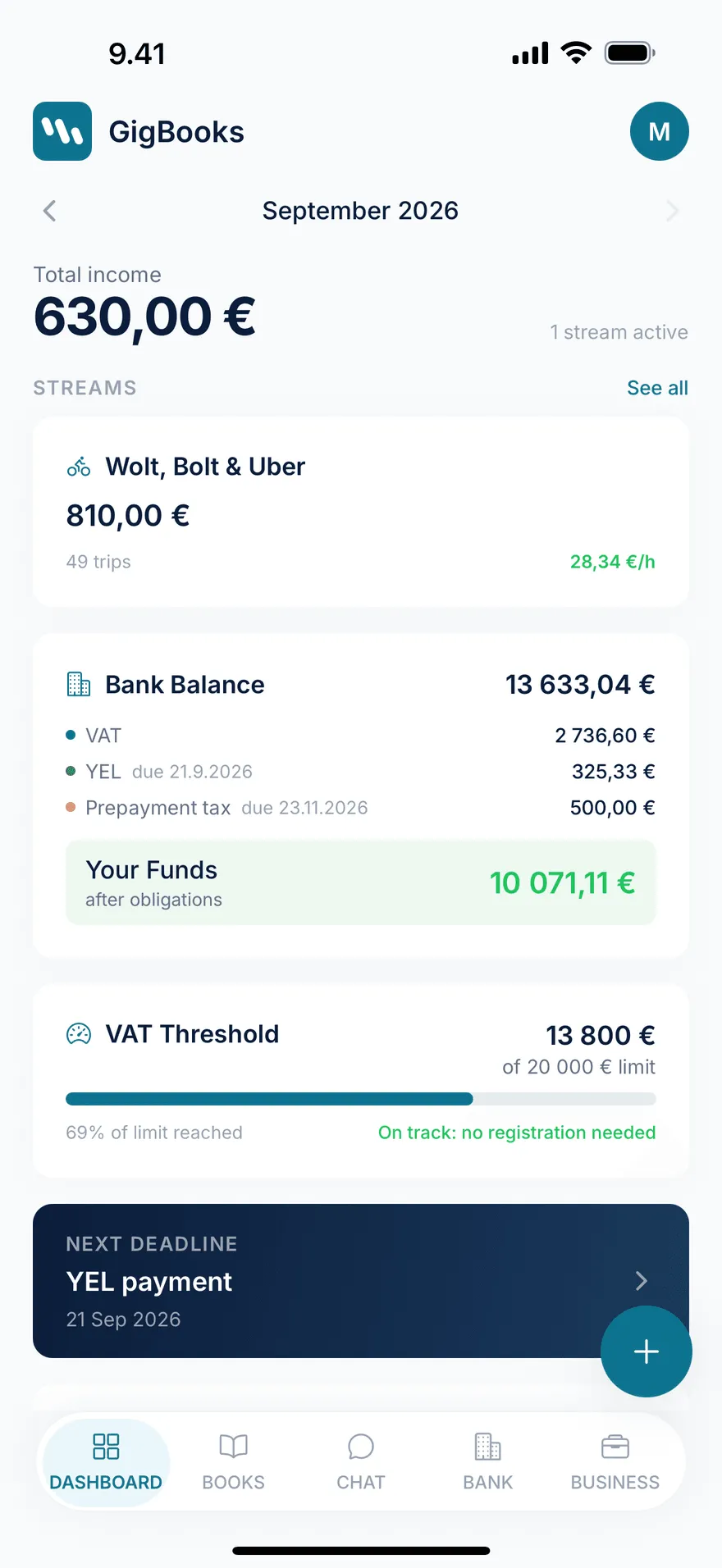
- Organise your income into streams. A stream is a slice of your business — your Wolt courier work, your Bolt work, your hairdressing chair, your consulting client. Each stream has a category and you can tag it with the platforms you work on. See streams.
- Log shifts and orders if you do delivery or rideshare. Start a live shift or log one after the fact, record platform earnings and tips, fuel and parking costs, and either an odometer reading or a GPS distance. See logging shifts.
- Track sessions if you do salon, tutoring, or consulting work. Each session attaches to a customer and a service. Sessions can be billed via invoices.
- Import your bank statement as a PDF and reconcile platform payouts and expenses against your bookkeeping entries. Today GigBooks parses PDF statements from Nordea and OP. See bank import.
- Snap a receipt and let GigBooks read the merchant, amount, VAT rate, and category — then save it as a draft entry you confirm with a tap. See chat bookkeeping.
- Watch the €20,000 VAT line in real time as your year-to-date revenue grows, so registering doesn’t sneak up on you. See VAT.
- Estimate YEL and track your run-rate against the YEL income floor. See YEL.
- Estimate advance tax, set up an installment schedule, and mark each instalment paid as it goes out. See advance tax.
- Generate a draft annual tax return at year-end. You file it yourself in OmaVero — GigBooks gives you the figures.
What GigBooks is not
We want to be honest about scope so the docs match your experience inside the app.
- GigBooks does not connect to Wolt, Bolt, or Uber. Platforms are tags you attach to a stream so the app can colour-code earnings, charts, and reports — not a live data feed. You log your shifts in GigBooks (or import payouts from a bank statement).
- GigBooks does not file your VAT return or income tax return for you. You file them yourself in OmaVero. What GigBooks does is calculate the figures and let you mark each period as filed once you’ve submitted in OmaVero.
- GigBooks does not have a live bank connection (PSD2) yet. You upload bank statement PDFs to bring transactions into the app.
- GigBooks is not a substitute for a qualified accountant in complex situations. It’s built so most platform sole traders can run their own books — but if you’re crossing the VAT line, taking on employees, or unwinding a complicated year, talk to a Finnish kirjanpitäjä.
Who it’s for
You’ll get the most out of GigBooks if:
- You’re registered (or about to register) as a toiminimi in Finland.
- Most of your income is from one of: food delivery, ride-hailing, hairdressing/beauty, tutoring, consulting, or other simple service work.
- You want to keep books on your phone, between jobs, without a desktop tool.
- You file your own VAT periods and annual tax return in OmaVero.
If you’re a limited company (osakeyhtiö), GigBooks is not the right tool today. If you have inventory, payroll, or international VAT, it’s also not the right tool today.
How the rest of these docs are organised
- Getting started — sign up, the four onboarding questions, and the in-app setup checklist.
- Features — one page per surface in the app: streams, shifts, sessions, bank import, receipts, chat, books and entries, dashboard.
- Tax & compliance — VAT, YEL, advance tax, the Bookkeeping Act, and the annual tax return.
- How-to guides — task-shaped walkthroughs (starting mid-year, the month-end routine, correcting a mistake).
- FAQ — the questions we hear most often.
Next: Quick start.