

Streams
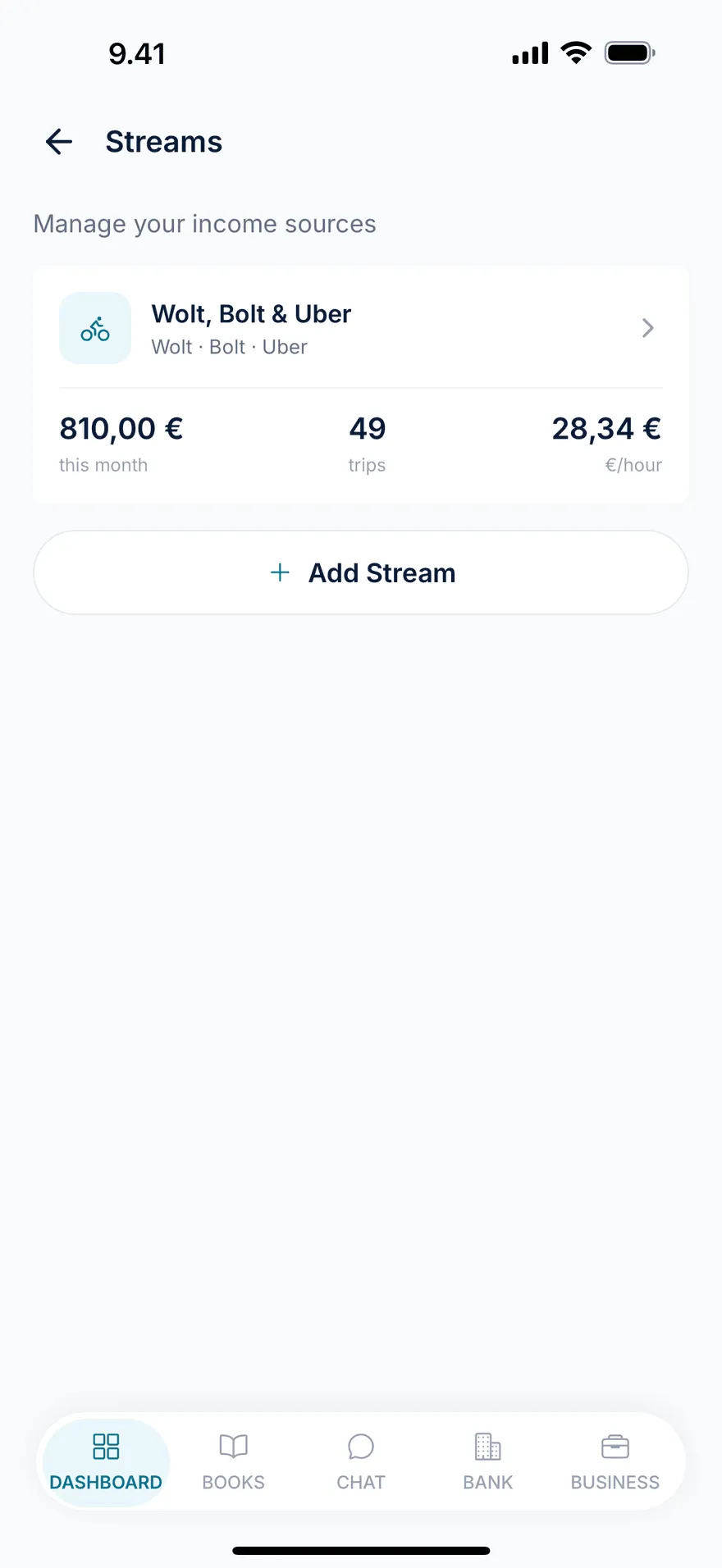
A stream is GigBooks’ way of grouping income that belongs together — a slice of your business with its own category, its own customers and services, and its own analytics. Streams are the central organising idea in the app: shifts, sessions, customers, services, and invoices all hang off a stream.
When to create a new stream
Create a stream when a piece of your work has different rules, different customers, or different reporting needs from the rest. Some good defaults:
- Most platform couriers — one delivery stream covering Wolt, Bolt, and Uber Eats. Tag all three as platforms; you can still see the per-platform breakdown in analytics.
- Most rideshare drivers — one rideshare stream covering Uber and Bolt.
- A driver who also does salon work on weekends — two streams: one delivery (or rideshare), one salon.
- A consultant with two big clients — usually one consulting stream with each client as a customer (not separate streams), unless the work is genuinely different.
The simplest rule: if you’d want a separate revenue line in your year-end report, make it a separate stream.
Categories
When you create a stream you pick one of six categories. The category controls what the stream lets you do.
| Category | What it unlocks | Typical use |
|---|---|---|
delivery | Shifts, platform tags, orders, fuel/parking/toll costs, odometer/GPS distance | Wolt, Bolt, Uber Eats couriers |
rideshare | Same as delivery (shifts, platform tags, fuel, distance) | Uber, Bolt drivers |
salon | Sessions, customers, services, invoices | Hairdressers, beauty therapists, manicurists |
consulting | Sessions (hourly or fixed), customers, services, invoices | Marketing consultants, designers, developers, business advisers |
tutoring | Sessions, customers, services, invoices | Language tutors, music teachers, coaches |
other | Sessions and invoices, no platform tags | Anything that doesn’t fit above |
You can’t change a stream’s category after it’s created (since the data model differs) — if you need to switch, create a new stream and archive the old one.
Platform tags — what they actually are
Streams in delivery and rideshare categories let you attach platform tags. The platforms in the catalogue today:
- Delivery: Wolt, Bolt, Uber Eats
- Rideshare: Uber, Bolt
A platform tag is just a labelled identifier the app uses to:
- colour-code earnings on charts and lists
- split a shift’s earnings line by platform (e.g., “€80 Wolt, €52 Bolt on this shift”)
- generate a sensible per-platform breakdown in stream analytics
- match payouts in your bank statement to the right platform
A platform tag does not:
- sign in to the platform on your behalf
- pull payouts, orders, or trip data from the platform
- file anything to a platform or to Vero
This is important because the marketing language around platform work often implies live integrations. GigBooks is honest about this: you log your shifts; we keep the books clean. We may add a platform integration in the future, but it isn’t there today.
Customers and services
Streams in salon, consulting, tutoring, and other come with two extra building blocks:
- Customers — the people or companies you bill. Each customer can have an email and a Y-tunnus for invoicing.
- Services — your priced offerings. A service has a name, a default price, and a price type —
fixed(e.g., €60 cut and colour) orhourly(e.g., €120/h consulting).
Once you have services and customers, logging a session is mostly tapping: pick customer, pick service, the price prefills, save.
Stream settings
From a stream’s detail page, Settings is where you tune the rules:
- Default VAT rate — the rate applied when you create an invoice from this stream. Most Finnish service work is 24%; some categories (books, accommodations, sport) have lower rates.
- Payment terms — how many days to give a customer to pay (default 14).
- Billing cycle — informational, used in analytics.
- Default partner — if every payout for this stream comes from one counterparty, you can preselect them here.
For delivery and rideshare streams, you can also add or remove platforms from settings as your work changes.
Stream analytics
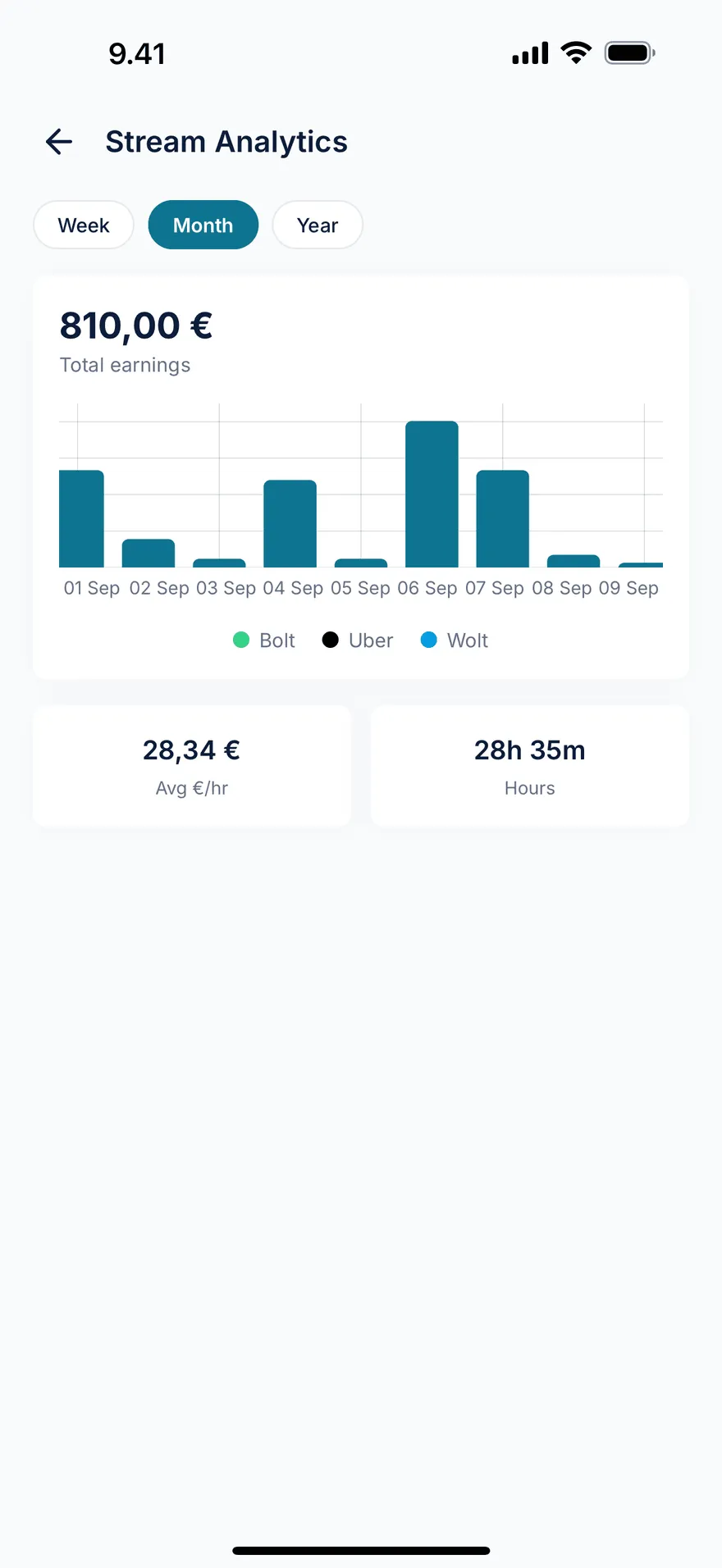
Each stream has its own analytics page with three things:
- Earnings over time — bar chart for week / month / year, broken down by platform colour where applicable.
- Platform breakdown — total earnings, tips, orders, hours, and distance per platform for the period.
- Tax savings card (delivery / rideshare) — kilometres driven, current km rate, computed deduction value, and the estimated tax saved.
Archiving a stream
If you stop a piece of work — say you switched from Wolt to a salaried job and your delivery stream is dormant — set the stream to inactive in Settings. It stays in the books for tax-return and history purposes but disappears from your active list.
You can’t delete a stream that has any shifts, sessions, or invoices attached. That’s a Bookkeeping Act requirement, not a UI quirk — the records have to remain available.
Next
- Shifts — for delivery and rideshare streams.
- Sessions — for salon, consulting, tutoring streams.
- Bank import — bringing payouts and expenses from your bank statement.